BuyWhen
Price tracker & lowest price finder

Buy at the lowest price. Or wait for the drop.

BuyWhen gives you two ways to pay less. Ready to buy? See every store’s offer on Google, lowest first, and buy in one click. Not yet? Track the product and get an alert when the price falls to your target.

Works in Google Chrome, Microsoft Edge and Brave.

FreeNo account neededYour data stays on your device
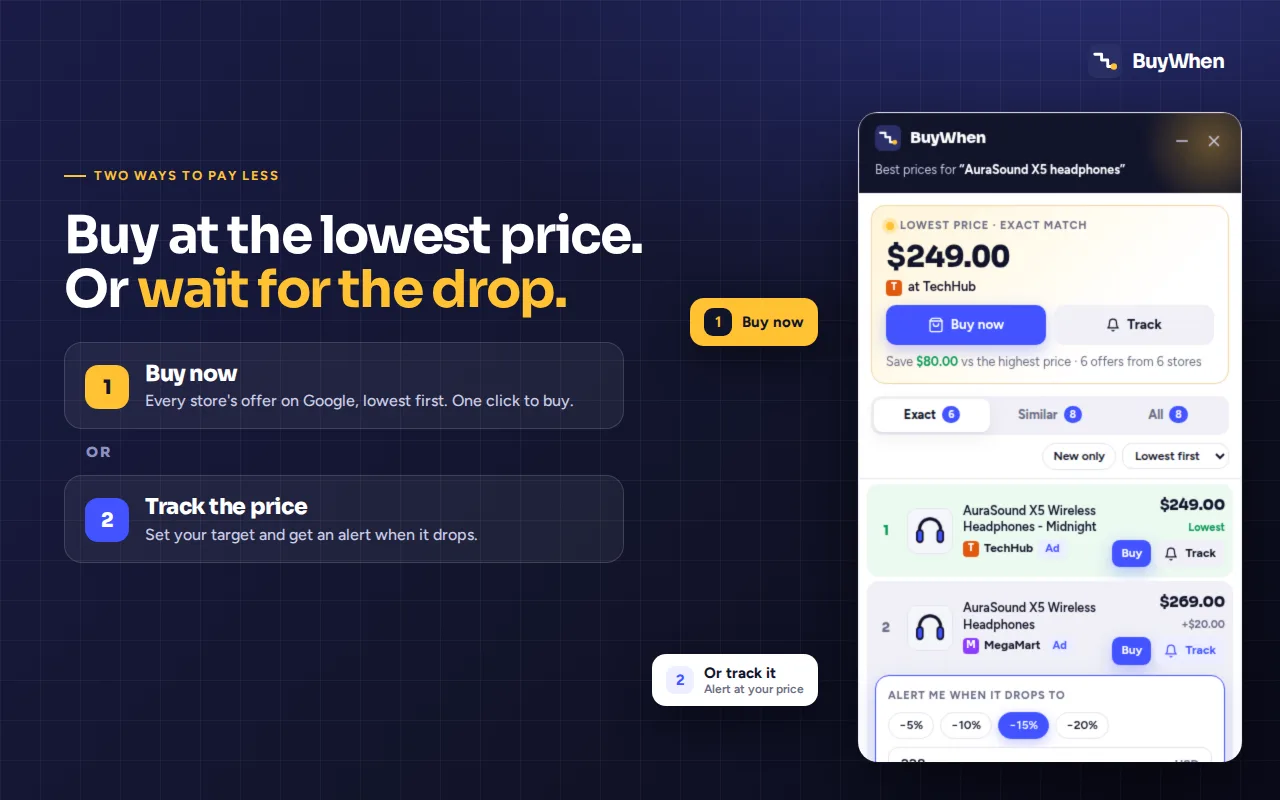
BuyWhen panel on Google with a Buy now button for the lowest price and a Track option with a target price
Two ways to pay less

Buy now at the lowest price, or track it

Every offer has both buttons, so you decide in the moment.

1Buy now

Lowest price finder

Search for a product on Google and BuyWhen lists every store’s offer for it, lowest first. Press Buy and go straight to the cheapest store.

  • Exact model kept apart from look-alikes and accessories
  • Used items labelled, monthly instalment prices left out
  • Unusually low prices flagged before you pay
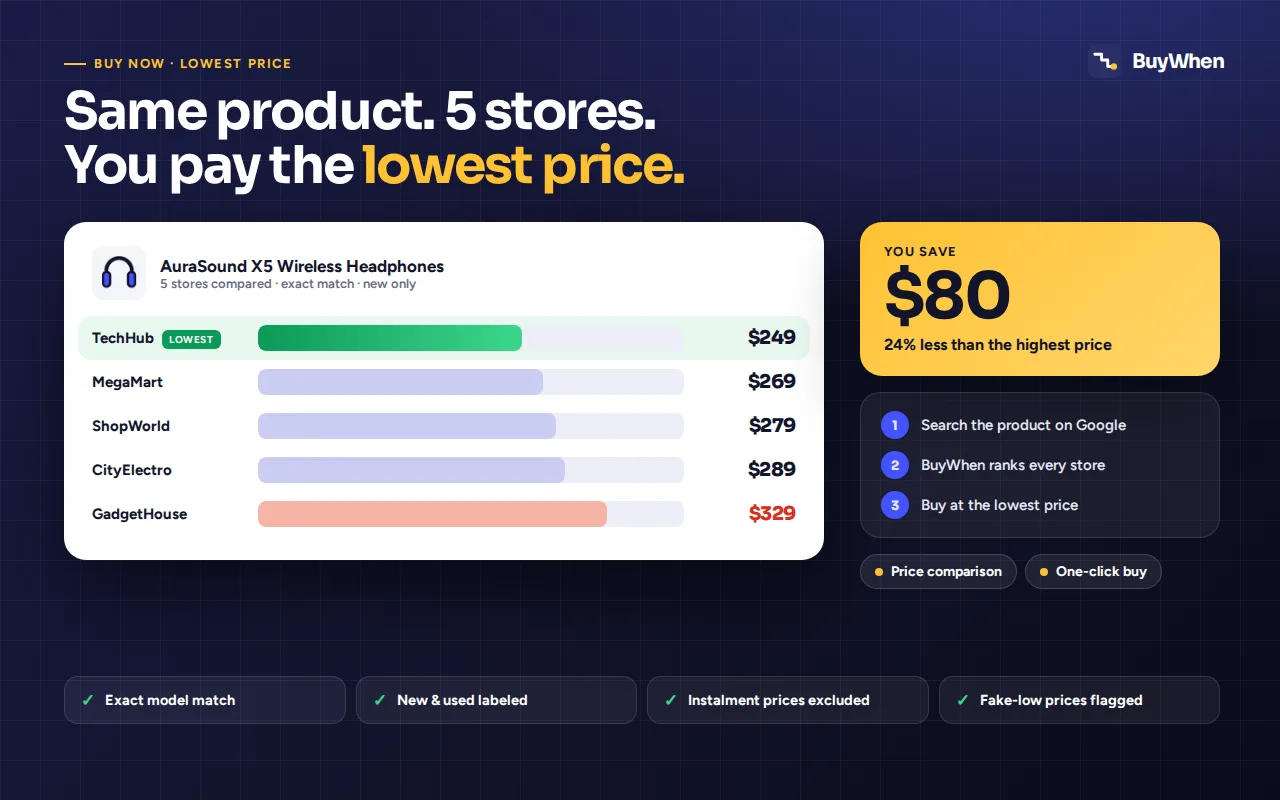
One product's offers from five stores, lowest price first
2Track

Price tracker with drop alerts

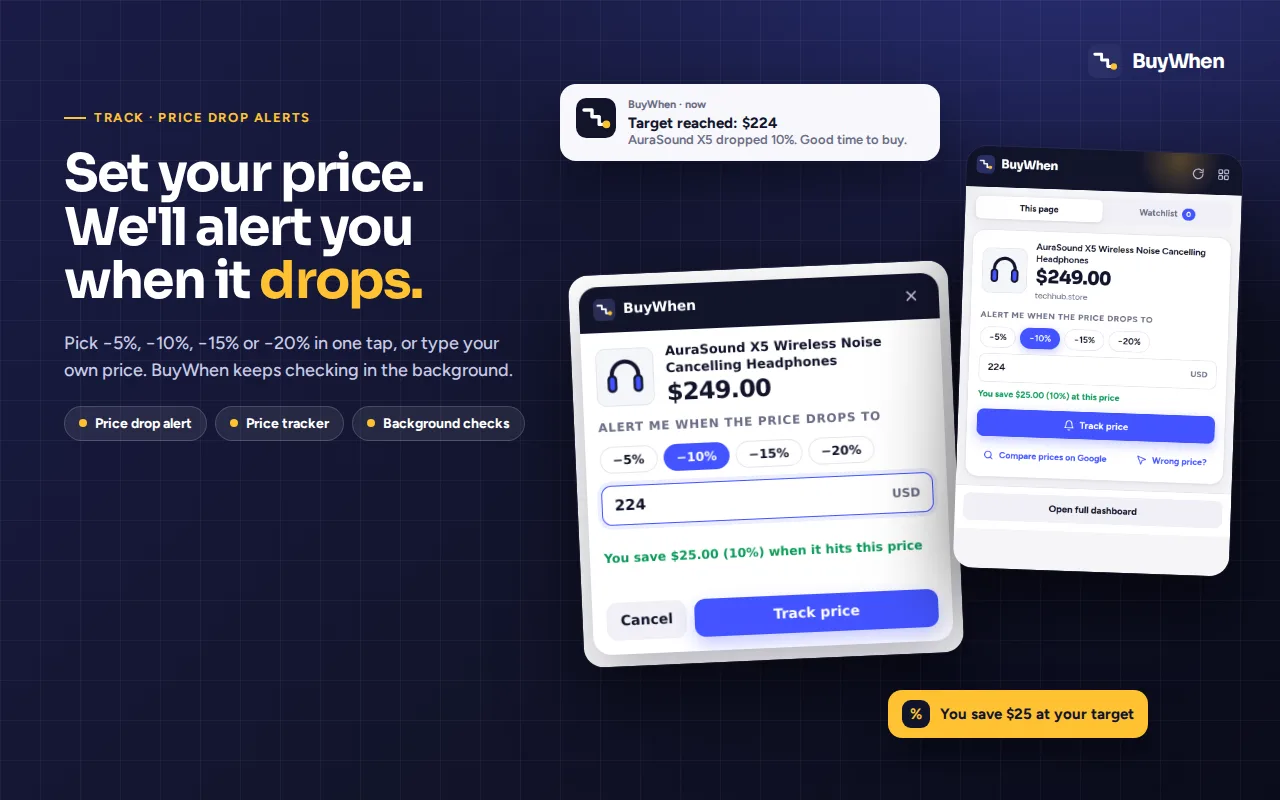
Not ready to buy? Press Track, pick −5% to −20% or type your price, and get a notification when it drops there. Works on almost any online store.

  • Price history chart and a Buy or Wait verdict
  • Background checks, every 6 hours by default
  • Track many products from different stores
Setting a target price and getting a price drop alert
How it works

Search once, then choose

  1. Search or open a product

    Search on Google, or open a product page on any store you like.

  2. Buy now at the lowest price

    See every store’s offer, lowest first, and buy from the cheapest one in a click.

  3. Or track it and wait

    Set your target. BuyWhen checks in the background and alerts you when the price drops.

Track · Verdict

Know exactly when to buy

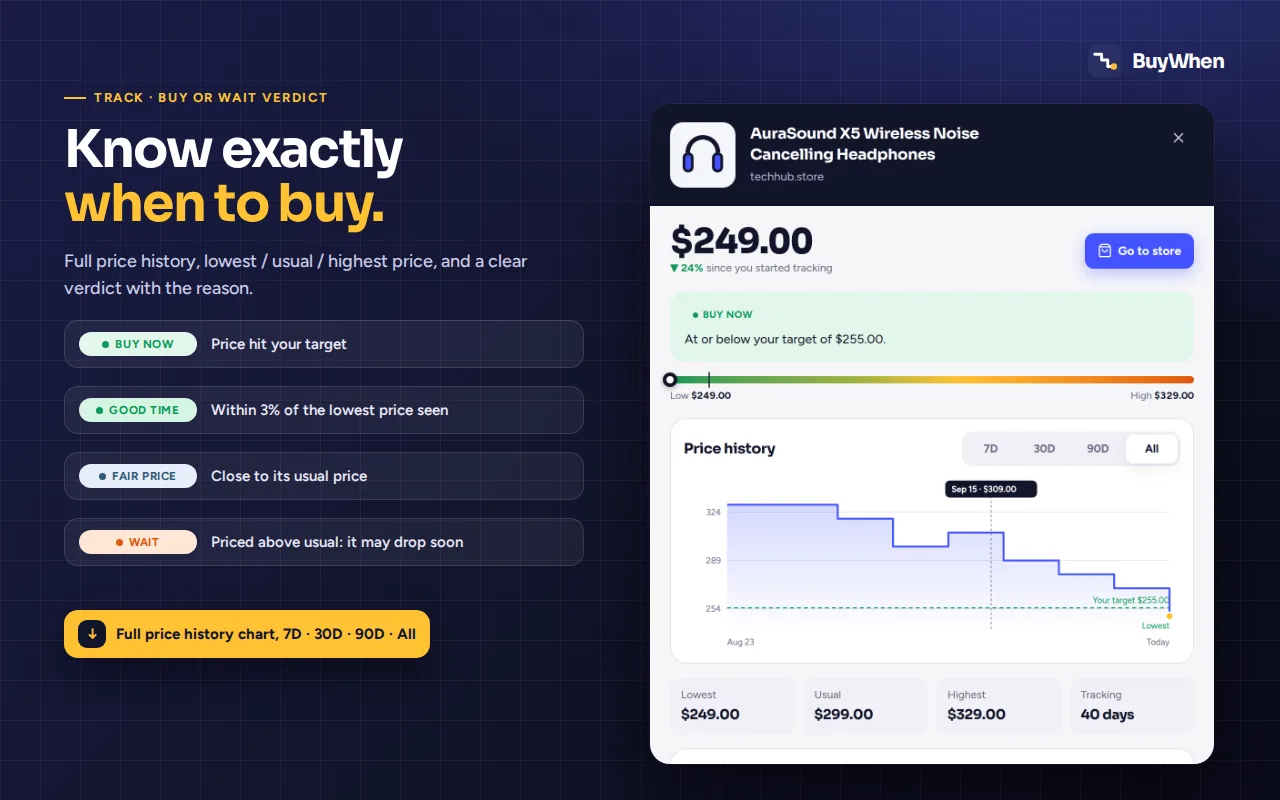
The price meter shows where today’s price sits between the lowest and highest seen, with your target marked.

  • Buy now, Good time, Fair price or Wait
  • Interactive price history chart
  • Clear reasons, not just a colour
Price history chart with a Buy or Wait verdict
Track · Any store

Track products on almost any site

Fashion, electronics, furniture, groceries. If the store shows a price, BuyWhen can follow it.

  • Reads product data the way search engines do
  • Click-to-pick tool for unusual pages
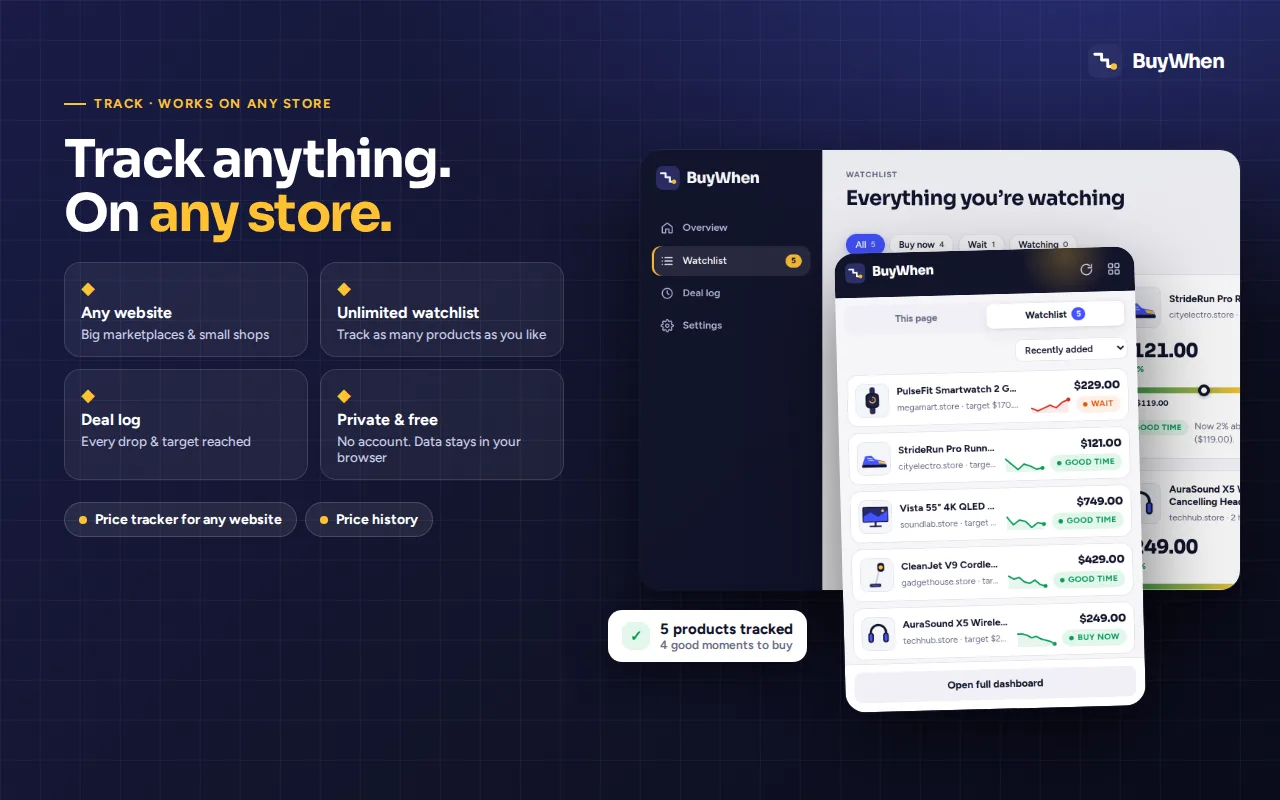
  • Many products at once, with search, filters and sorting
Watchlist with several tracked products from different stores
The verdict

A straight answer for every price

Based on the price history BuyWhen has collected for that product.

Buy nowYour price is here

At or below the target you set.

Good timeNear the low

Within 3% of the lowest price seen.

Fair priceAbout usual

Close to its typical price.

WaitToo high right now

10% or more above usual, or it just jumped.

Privacy

Private by design

Stays on your device

Your watchlist, history and settings are stored in your browser. BuyWhen has no servers that receive them.

Access only when you ask

Store access is requested per store, when you choose to track something there. You can remove it any time.

FAQ

Questions shoppers ask

What does BuyWhen do?

BuyWhen gives you two ways to pay less. If you want to buy now, it shows every store’s price for the product on Google, lowest first, so you can buy from the cheapest store. If you would rather wait, it tracks the price and alerts you when it drops to your target.

Is BuyWhen free?

Yes. BuyWhen is free to install and use. There is no account, no subscription and no paid tier.

How does BuyWhen find the lowest price?

When you search for a product on Google, BuyWhen reads the shopping offers already shown on that results page and lists them from lowest to highest price. It separates the exact product from similar models, leaves out monthly instalment prices and flags prices that look unusually low.

Which websites can I track?

Almost any online store. BuyWhen reads the price from the product page automatically on most stores. If it cannot find the price, use “Pick price on page” and click the price yourself.

How does the Buy or Wait verdict work?

BuyWhen compares today’s price with the price history it has collected. If the price is at or below your target it says Buy now. Near the lowest price seen it says Good time. Well above the usual price, or right after a jump, it says Wait.

How do price drop alerts work?

Set the price you want to pay. BuyWhen checks your tracked products in the background (every 6 hours by default) and shows a Chrome notification when the price reaches your target or drops by the amount you choose.

Does BuyWhen collect my data?

No. BuyWhen has no servers, no analytics and no ads. Your watchlist, price history and settings stay in your browser on your device. Read the privacy policy for full details.

Which countries does BuyWhen work in?

Tracking works on stores worldwide. The price comparison panel works on Google search in many countries, including the UAE, Saudi Arabia, the United States, the United Kingdom, India, Pakistan, Germany, France, Canada and Australia.

Does BuyWhen add affiliate links?

No. Buy buttons go straight to the store’s own page. BuyWhen does not add affiliate tags or change the links you click.

Lowest price now, or the right moment later.

Free for Chrome, Edge and Brave. Ready in seconds.